> ## Documentation Index
> Fetch the complete documentation index at: https://omni.fireflo.au/llms.txt
> Use this file to discover all available pages before exploring further.
# FireFlo OMNI
> What FireFlo OMNI is: one inbox, one set of contacts and one API for SMS, WhatsApp, RCS and Voice.
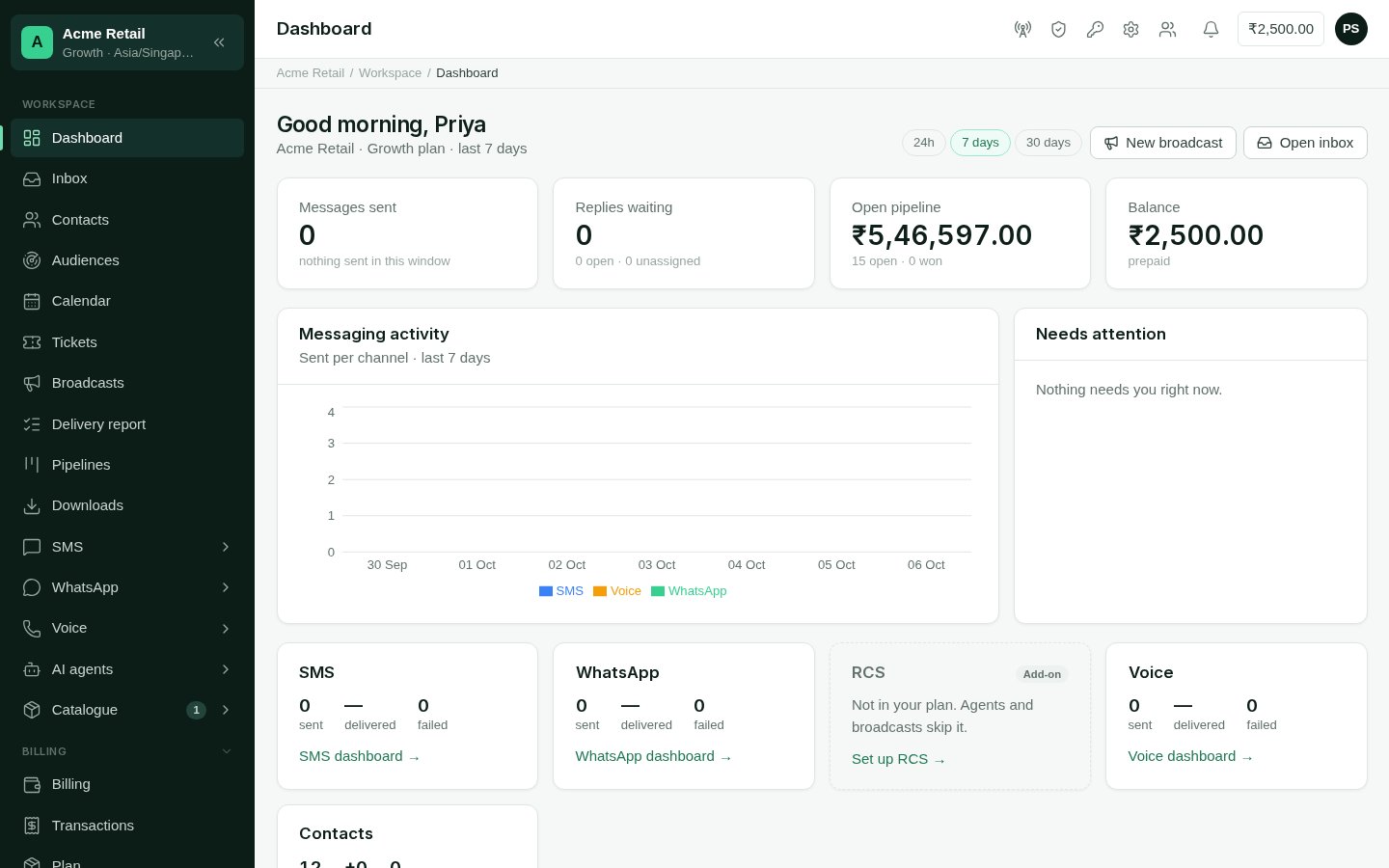
FireFlo OMNI is where a business talks to its customers. Every message, on every
channel, lands in **one Inbox**. Every person is **one contact**, whichever channel
they wrote on. And everything the panel does, your own systems can do through **one
API**.
 ## What OMNI is made of
OMNI is built from modules. Your plan decides which ones your account has.
How messages leave and arrive: **SMS**, **WhatsApp**, **RCS** and **Voice**. Use
FireFlo's connection, or connect your own.
What else the panel can do: **AI Agents**, **Calendar**, **Catalogue**,
**Customer data**, **Pipelines** and **Tickets**.
One API for every channel: send with failover between channels, manage contacts,
answer conversations and receive signed webhooks.
Whatever modules you have, a few things are always there: the **Inbox**,
**Contacts**, **Broadcasts**, the **Delivery report**, **Downloads**, **Billing** and
your **Team**.
## Where to go next
The ideas behind OMNI — accounts, plans, roles, modules and consent — and a
first hour with the panel.
Every everyday screen: the Inbox, Contacts, Broadcasts, the Delivery report,
Billing, Team and more.
Setting up SMS, WhatsApp, RCS and Voice, and the templates and sender IDs each
one needs.
AI Agents, Calendar, Catalogue, Customer data, Pipelines and Tickets.
Keys and scopes, errors, webhooks, and guides for messages, contacts,
conversations and calls.
Every endpoint, with a request you can try.
For those running OMNI for their customers: plans, pricing, channel connections
and resellers.
Questions about your account or the product: write to
[support@fireflo.au](mailto:support@fireflo.au).
This documentation is built and hosted on [Mintlify](https://mintlify.com), a developer documentation platform.
## What OMNI is made of
OMNI is built from modules. Your plan decides which ones your account has.
How messages leave and arrive: **SMS**, **WhatsApp**, **RCS** and **Voice**. Use
FireFlo's connection, or connect your own.
What else the panel can do: **AI Agents**, **Calendar**, **Catalogue**,
**Customer data**, **Pipelines** and **Tickets**.
One API for every channel: send with failover between channels, manage contacts,
answer conversations and receive signed webhooks.
Whatever modules you have, a few things are always there: the **Inbox**,
**Contacts**, **Broadcasts**, the **Delivery report**, **Downloads**, **Billing** and
your **Team**.
## Where to go next
The ideas behind OMNI — accounts, plans, roles, modules and consent — and a
first hour with the panel.
Every everyday screen: the Inbox, Contacts, Broadcasts, the Delivery report,
Billing, Team and more.
Setting up SMS, WhatsApp, RCS and Voice, and the templates and sender IDs each
one needs.
AI Agents, Calendar, Catalogue, Customer data, Pipelines and Tickets.
Keys and scopes, errors, webhooks, and guides for messages, contacts,
conversations and calls.
Every endpoint, with a request you can try.
For those running OMNI for their customers: plans, pricing, channel connections
and resellers.
Questions about your account or the product: write to
[support@fireflo.au](mailto:support@fireflo.au).
This documentation is built and hosted on [Mintlify](https://mintlify.com), a developer documentation platform.