> ## Documentation Index
> Fetch the complete documentation index at: https://omni.fireflo.au/llms.txt
> Use this file to discover all available pages before exploring further.
# Billing
> Your prepaid balance, what you have sent this month, what each message costs, and every movement on the ledger.
Billing answers **"how much do we have, and what does sending cost?"**
 **Who can use it:** Owner, Admin, Billing and Reseller. **Transactions** needs permission
to see the ledger, which the same four roles have.
## The Billing screen
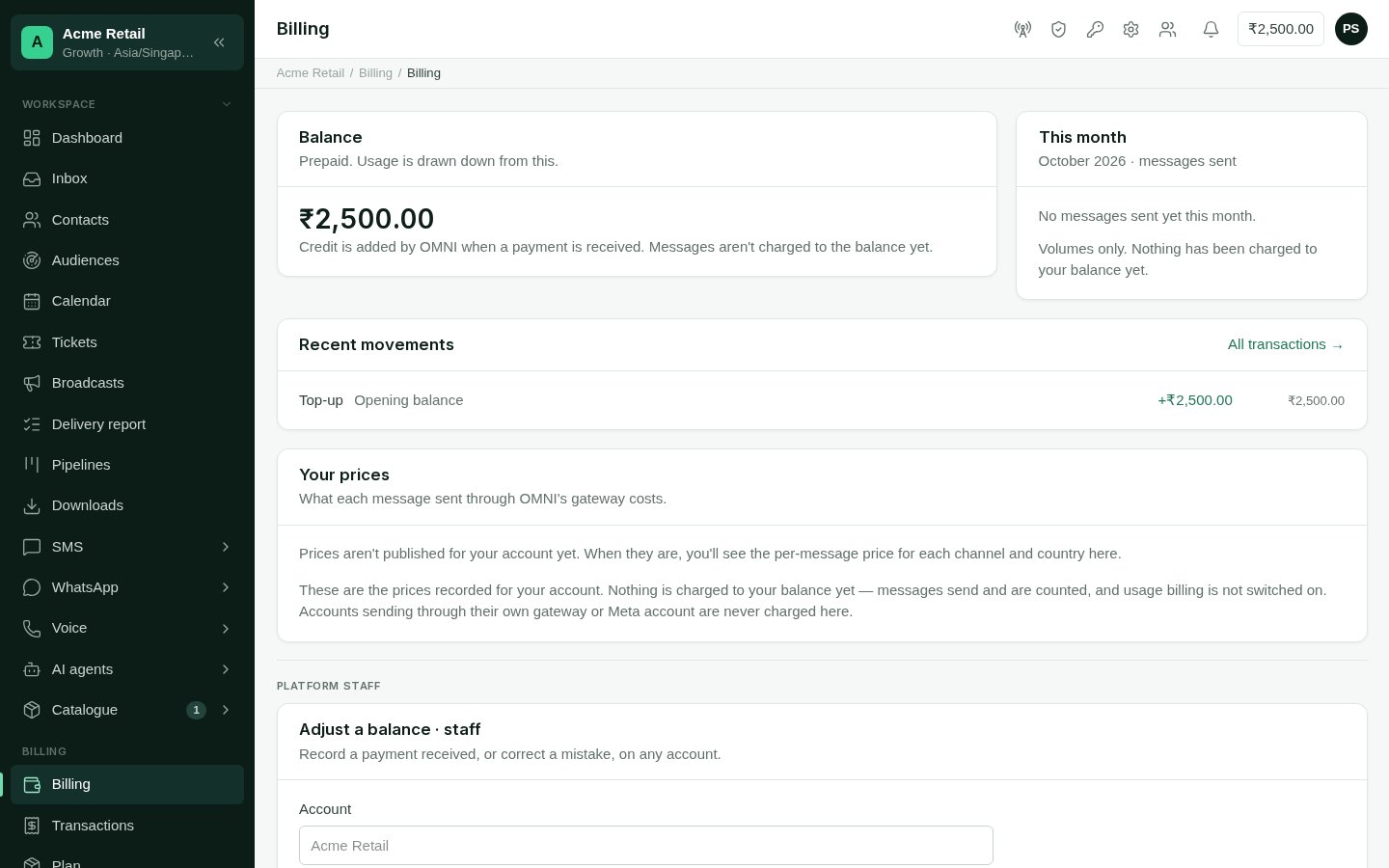
* **Balance**: your prepaid balance. It shows in red below zero, and it is also in the
top bar of every screen. Credit is added by FireFlo when a payment is received; an
account never tops itself up. For a reseller's customer, credit comes from the
reseller.
* **This month**: messages sent this month, per channel, and the total.
* **Recent movements**: the latest changes to the balance, each with what it was, the
amount and the balance after it. **All transactions** opens the full ledger.
* **Your prices**: what each message costs, per channel and country, for the channels
your account has. Until prices are published for your account, this card says so.
The volumes and prices on this screen are not a bill. The **Balance** card says
whether messages are being charged to your balance; check it there.
## Transactions
**Who can use it:** Owner, Admin, Billing and Reseller. **Transactions** needs permission
to see the ledger, which the same four roles have.
## The Billing screen
* **Balance**: your prepaid balance. It shows in red below zero, and it is also in the
top bar of every screen. Credit is added by FireFlo when a payment is received; an
account never tops itself up. For a reseller's customer, credit comes from the
reseller.
* **This month**: messages sent this month, per channel, and the total.
* **Recent movements**: the latest changes to the balance, each with what it was, the
amount and the balance after it. **All transactions** opens the full ledger.
* **Your prices**: what each message costs, per channel and country, for the channels
your account has. Until prices are published for your account, this card says so.
The volumes and prices on this screen are not a bill. The **Balance** card says
whether messages are being charged to your balance; check it there.
## Transactions
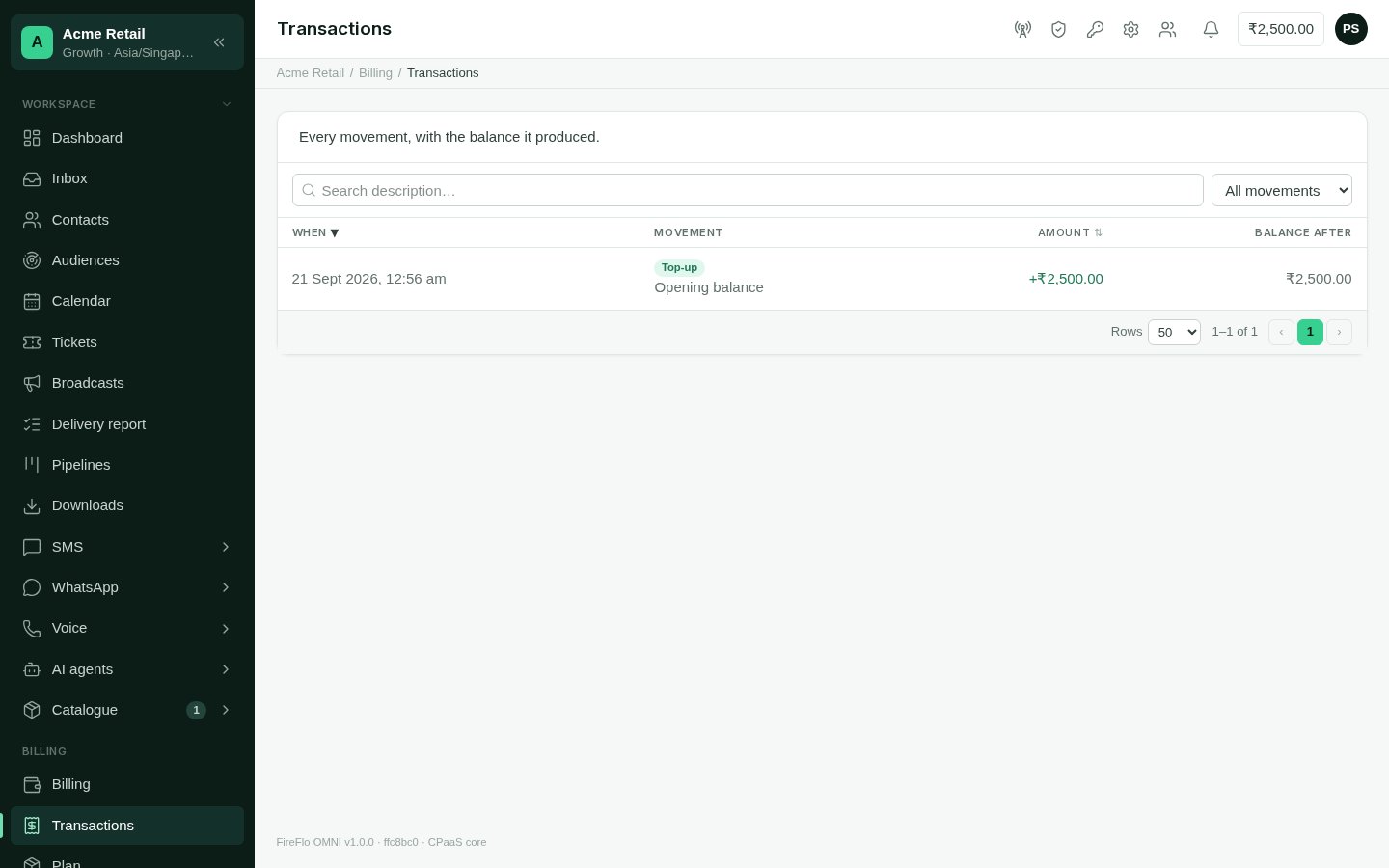 Every movement on the balance, newest first: when, what kind, the amount and the
balance after it. Search the descriptions, and filter by kind:
| Kind | What it is |
| - | - |
| **Top-up** | Credit added when FireFlo recorded a payment |
| **Adjustment** | A correction made by FireFlo |
| **Credit received** | Credit a reseller moved to you |
| **Credit allocated** | Credit you, as a reseller, moved to a customer |
## Paying
Paying for your plan is offline, by bank transfer or cheque. The
[Plan](/using/plan-and-modules) page says how, and your paid time starts once FireFlo
has recorded the payment. If a payment is due, sending, campaigns and agents pause
until it is recorded.
Questions about a payment or your balance: write to
[support@fireflo.au](mailto:support@fireflo.au).
This documentation is built and hosted on [Mintlify](https://mintlify.com), a developer documentation platform.
Every movement on the balance, newest first: when, what kind, the amount and the
balance after it. Search the descriptions, and filter by kind:
| Kind | What it is |
| - | - |
| **Top-up** | Credit added when FireFlo recorded a payment |
| **Adjustment** | A correction made by FireFlo |
| **Credit received** | Credit a reseller moved to you |
| **Credit allocated** | Credit you, as a reseller, moved to a customer |
## Paying
Paying for your plan is offline, by bank transfer or cheque. The
[Plan](/using/plan-and-modules) page says how, and your paid time starts once FireFlo
has recorded the payment. If a payment is due, sending, campaigns and agents pause
until it is recorded.
Questions about a payment or your balance: write to
[support@fireflo.au](mailto:support@fireflo.au).
This documentation is built and hosted on [Mintlify](https://mintlify.com), a developer documentation platform.