> ## Documentation Index
> Fetch the complete documentation index at: https://omni.fireflo.au/llms.txt
> Use this file to discover all available pages before exploring further.
# Delivery report
> How to find any message on any channel, see whether it arrived, and export what you see.
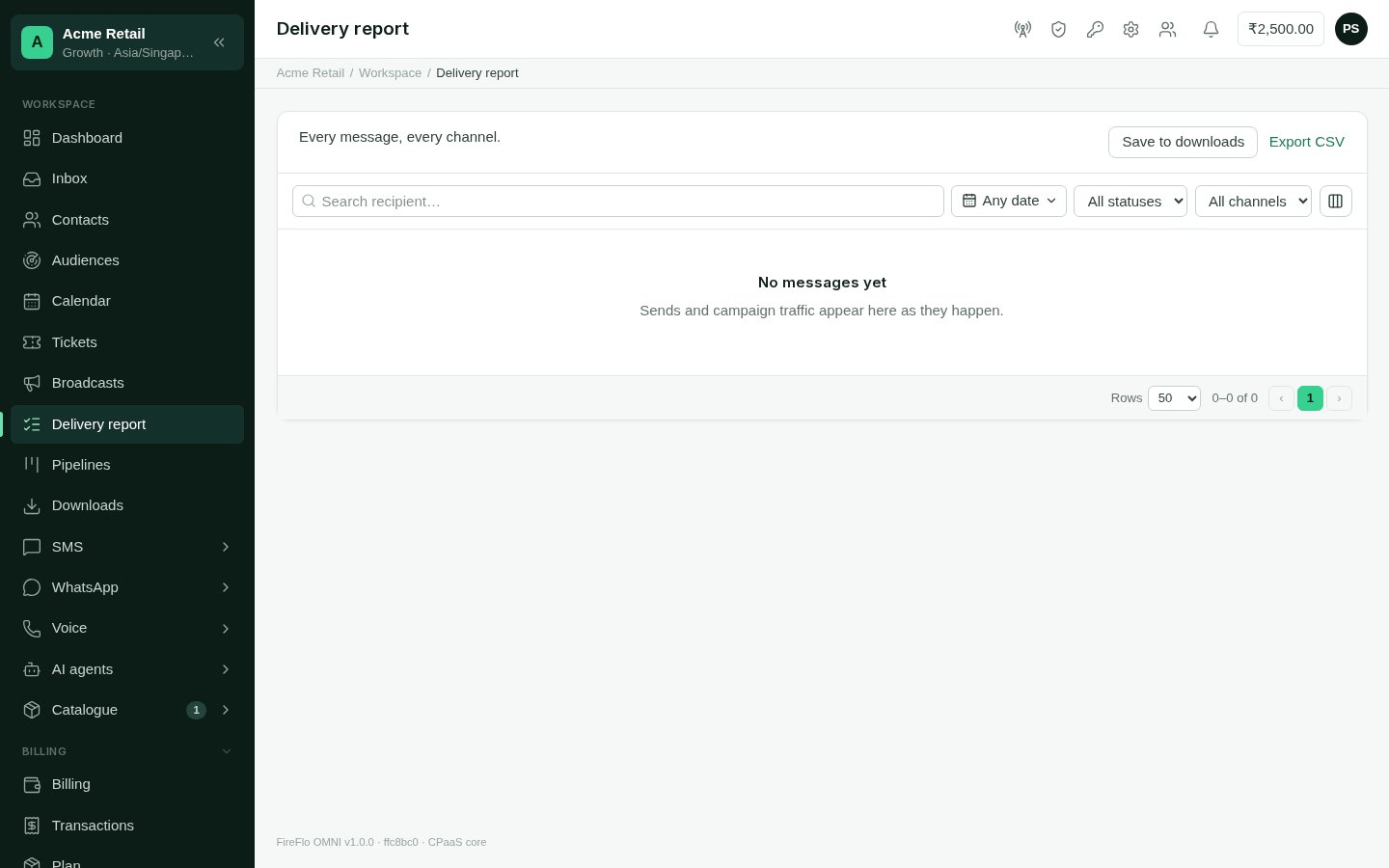
The delivery report answers **"did it get there?"** It lists every message, on every
channel, whether it came from a broadcast, the Inbox, a channel's send screen or the API.
 **Who can use it:** anyone who may read messages (Owner, Admin, Support and Viewer).
## Reading it
Each row is one message:
| Column | What it says |
| - | - |
| **When** | When it was sent |
| **Channel** | The channel it went on |
| **To** / **From** | The recipient, and the sender it went from |
| **Message** | What was sent |
| **Campaign** | The broadcast it belonged to, if any |
| **Status** | *pending*, *sent*, *delivered*, *read* or *failed* |
| **DLR** | The delivery report the carrier sent back, as the carrier wrote it (for example `DELIVRD`) |
| **Kind** | What kind of message it was |
| **Sent by** | Who or what sent it |
| **Status updated** | When the status last changed |
Use the column picker to show or hide columns; the panel remembers your choice.
## Finding messages
* **Search** by recipient.
* Pick a **date range**, in your account's timezone.
* Filter by **status** and by **channel**.
The [dashboard](/using/dashboard)'s *Needs attention* list links straight to failed
messages.
## Exporting
* **Export CSV** downloads what you are looking at, with the same filters, straight to
your browser.
* **Save to downloads** writes the same export in the background and keeps it in
[Downloads](/using/downloads), to fetch later or share with a colleague who has
access.
This documentation is built and hosted on [Mintlify](https://mintlify.com), a developer documentation platform.
**Who can use it:** anyone who may read messages (Owner, Admin, Support and Viewer).
## Reading it
Each row is one message:
| Column | What it says |
| - | - |
| **When** | When it was sent |
| **Channel** | The channel it went on |
| **To** / **From** | The recipient, and the sender it went from |
| **Message** | What was sent |
| **Campaign** | The broadcast it belonged to, if any |
| **Status** | *pending*, *sent*, *delivered*, *read* or *failed* |
| **DLR** | The delivery report the carrier sent back, as the carrier wrote it (for example `DELIVRD`) |
| **Kind** | What kind of message it was |
| **Sent by** | Who or what sent it |
| **Status updated** | When the status last changed |
Use the column picker to show or hide columns; the panel remembers your choice.
## Finding messages
* **Search** by recipient.
* Pick a **date range**, in your account's timezone.
* Filter by **status** and by **channel**.
The [dashboard](/using/dashboard)'s *Needs attention* list links straight to failed
messages.
## Exporting
* **Export CSV** downloads what you are looking at, with the same filters, straight to
your browser.
* **Save to downloads** writes the same export in the background and keeps it in
[Downloads](/using/downloads), to fetch later or share with a colleague who has
access.
This documentation is built and hosted on [Mintlify](https://mintlify.com), a developer documentation platform.