> ## Documentation Index
> Fetch the complete documentation index at: https://omni.fireflo.au/llms.txt
> Use this file to discover all available pages before exploring further.
# Downloads
> Where saved exports and campaign reports are kept, and how long they stay.
Downloads answers **"where is that report?"** It holds the exports someone chose to
keep, and the campaign reports OMNI writes in the background.
 **Who can use it:** anyone who may read messages (Owner, Admin, Support and Viewer).
Everyone with access sees the account's saved reports.
## What ends up here
Most exports go straight to your browser and are not kept. A report lands in Downloads
when:
* someone chooses **Save to downloads** on the [Delivery report](/using/delivery-report);
* a [contacts](/using/contacts) export is too large to download at once, and is saved
here instead;
* someone chooses **Prepare** under a campaign's **Reports**
([Broadcasts](/using/broadcasts)). A very large report is split into parts.
Reports are CSV files.
## Using it
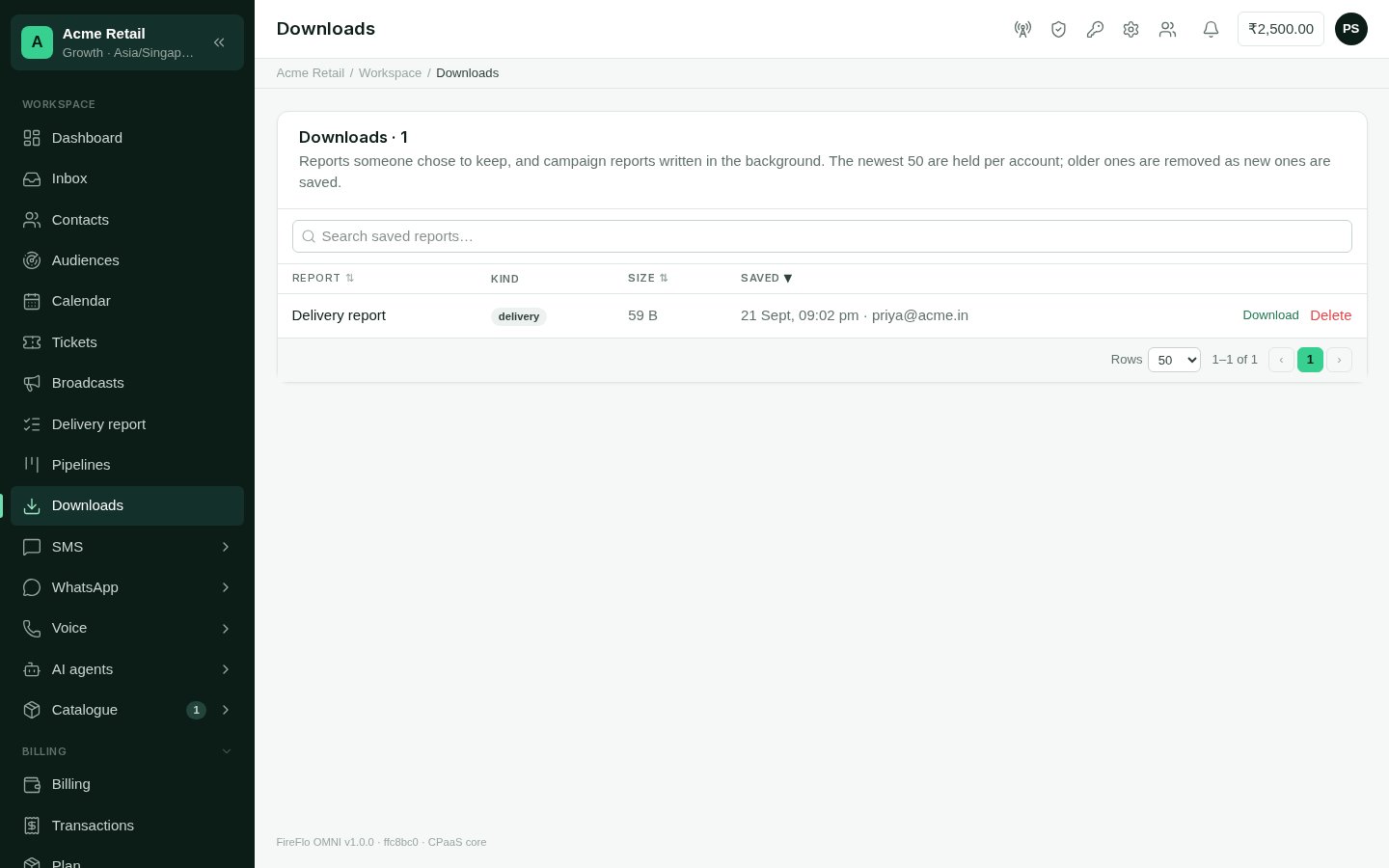
Each row shows the report's name, kind, size and when it was saved. A report being
written says so, and the page refreshes itself until it is ready. Then:
* **Download** fetches it;
* delete removes it.
Search finds a saved report by name.
The newest 50 reports are kept per account. When a new one is saved, the oldest
beyond that are removed. Download anything you need to keep.
This documentation is built and hosted on [Mintlify](https://mintlify.com), a developer documentation platform.
**Who can use it:** anyone who may read messages (Owner, Admin, Support and Viewer).
Everyone with access sees the account's saved reports.
## What ends up here
Most exports go straight to your browser and are not kept. A report lands in Downloads
when:
* someone chooses **Save to downloads** on the [Delivery report](/using/delivery-report);
* a [contacts](/using/contacts) export is too large to download at once, and is saved
here instead;
* someone chooses **Prepare** under a campaign's **Reports**
([Broadcasts](/using/broadcasts)). A very large report is split into parts.
Reports are CSV files.
## Using it
Each row shows the report's name, kind, size and when it was saved. A report being
written says so, and the page refreshes itself until it is ready. Then:
* **Download** fetches it;
* delete removes it.
Search finds a saved report by name.
The newest 50 reports are kept per account. When a new one is saved, the oldest
beyond that are removed. Download anything you need to keep.
This documentation is built and hosted on [Mintlify](https://mintlify.com), a developer documentation platform.